ASWAD HSE TRAINER · 2-DAY PRACTICAL PROGRAMME
From basic ChatGPT to a Company HSE AI Workspace
AI for HSE Documentation & Productivity — Advanced Foundation
AI for HSE training in Malaysia with Aswad Aziz: a two-day practical workshop for HSE professionals who already use basic ChatGPT. Participants build a Company HSE AI Workspace and practise preparing HIRARC drafts, OSH Committee meeting minutes and preliminary incident reports, with human verification.
Aswad Aziz is the trainer behind Aswad HSE Trainer, based in Kajang, Selangor. View Aswad’s trainer profile and listed qualifications. In-house location, delivery language and training-provider arrangements are confirmed during enquiry.
Request In-house Training Get the Free Guide
Public intake waitlist · In-house enquiries · Training provider collaboration
Watch: Beyond basic ChatGPT for HSE
A short Bahasa Malaysia introduction to turning everyday HSE notes into structured drafts. Watch the teaser, then explore the examples and free guide below.
Foundation level. Built for people who already use AI.
This is a foundation in building a Company HSE AI Workspace, designed for existing basic ChatGPT users. It moves beyond casual prompting into a practical documentation workflow. You should already be able to write a simple prompt, ask follow-up questions and review an AI-generated answer.
Bring: a personal laptop, an active ChatGPT Plus subscription and approved non-confidential information, or use the supplied fictional case.
Scope: approximately 70% guided practice and assessment, 30% facilitated instruction. AI agents, API integrations, automation, programming, advanced analytics and AI video production are outside this two-day programme.
What you will cover
Day 1 — Build the foundation
- AI readiness and responsible use: confidentiality, limitations, source discipline and human review.
- Build your ChatGPT Project: company activities, hazards, document needs and approved reference files.
- Write project instructions: define roles, output rules, boundaries and verification requirements.
- Structured prompting: create and refine a reusable HSE prompt library.
Day 2 — Apply and demonstrate
- Draft practical HSE documents: turn an agreed workplace case into useful documentation.
- Verify quality: check assumptions, missing facts, technical references and safety controls.
- Basic safety visuals and refinement: improve clarity and run an improvement cycle.
- Demonstrate your workspace: complete an individual practical assessment and review.
See the HSE documents you can build
Three simple inputs. Three clear draft results. These are fictional training examples; workplace documents require competent review and approval.
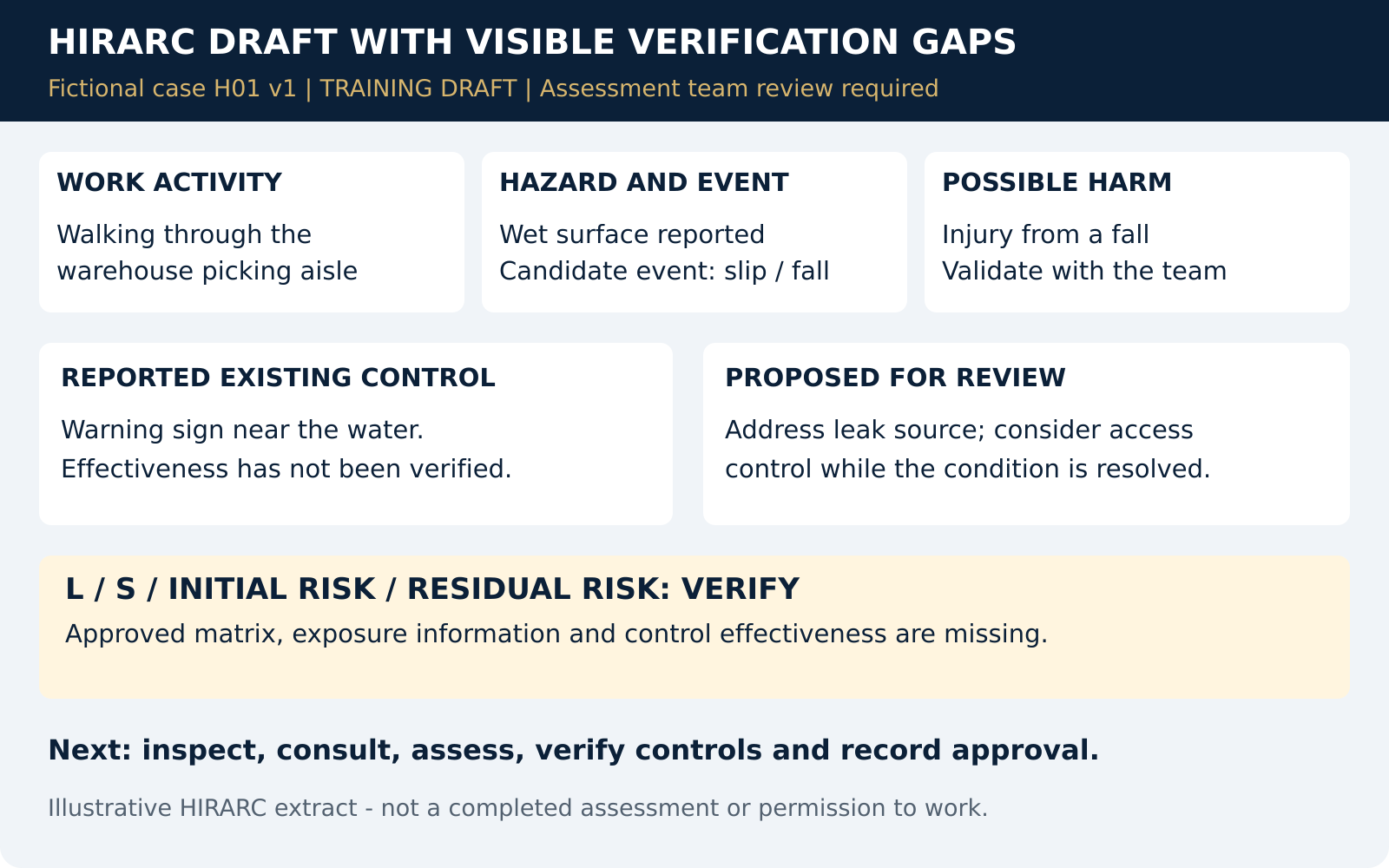
1. HIRARC draft
Before: A short note about water in a warehouse aisle.
After: A HIRARC draft showing the hazard, possible harm and controls. Missing risk inputs stay VERIFY.
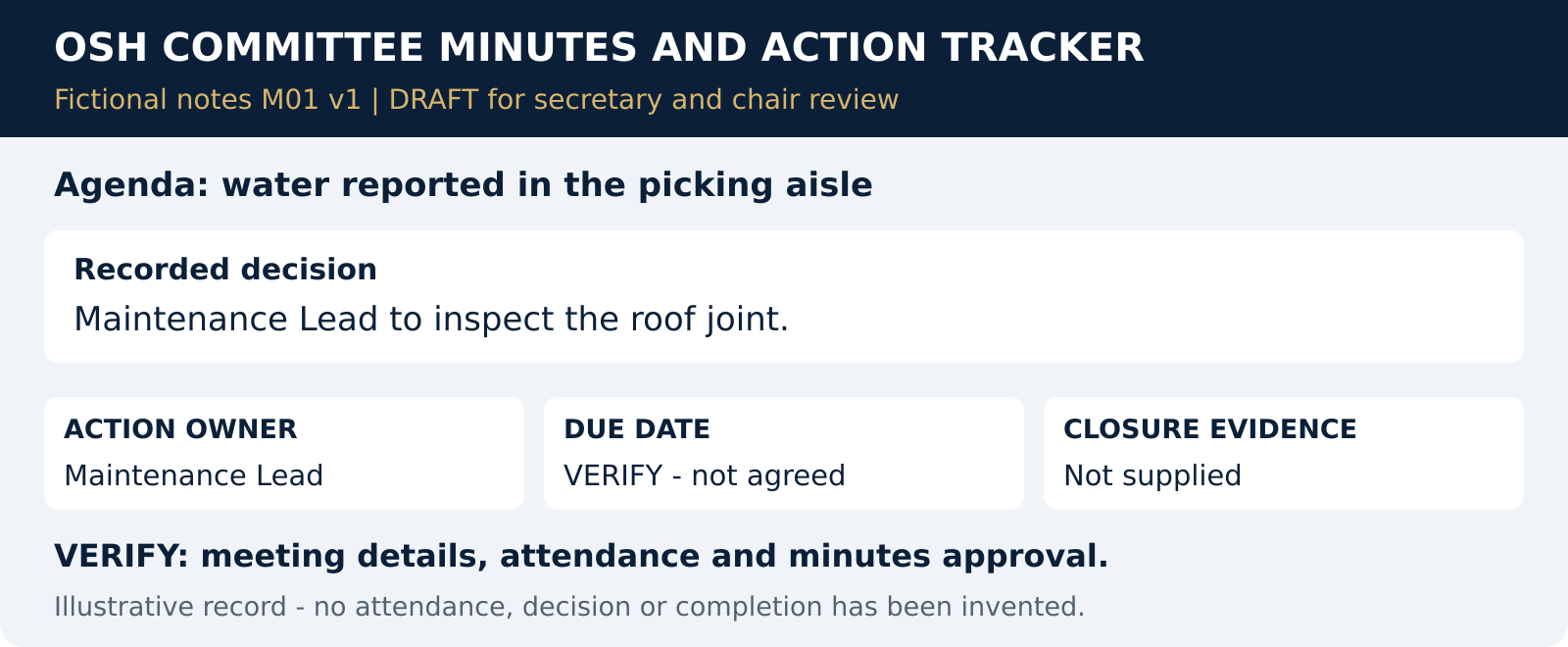
2. OSH Committee meeting minutes
Before: Rough notes: inspect the roof joint; Maintenance Lead assigned; no deadline agreed.
After: Draft minutes and an action tracker with action, owner and deadline.
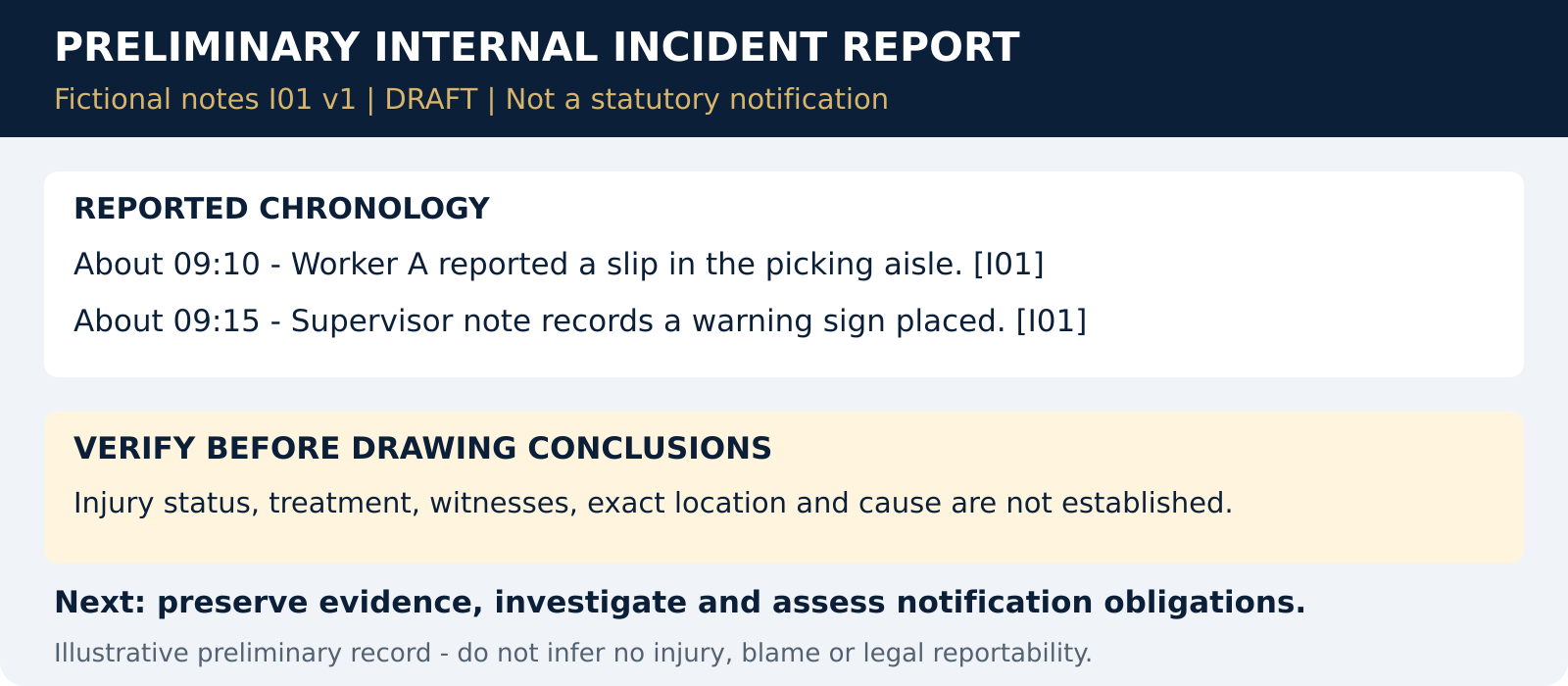
3. Preliminary incident report
Before: A reported slip at about 09:10 and a recorded warning-sign action at about 09:15.
After: A preliminary report with a reported timeline, known actions and facts to verify. No invented injury status or cause.
What you should leave with
- A functional Company HSE AI Workspace in ChatGPT Projects.
- Company context and clear project instructions.
- At least three reusable prompts and two example HSE documents.
- One documented improvement cycle and a verification checklist.
- A practical method for adapting, checking and reusing AI-assisted drafts.
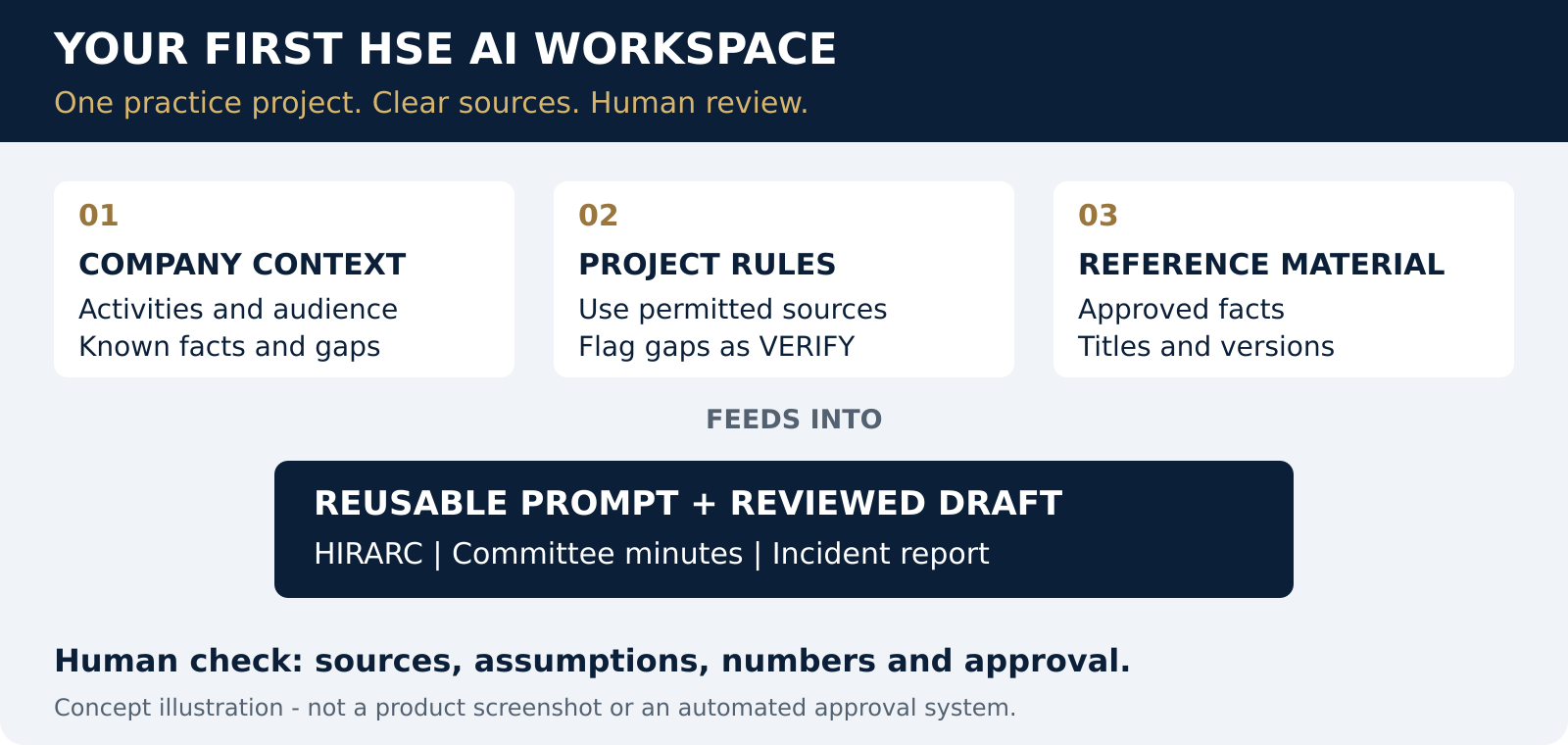
The workspace is an organised ChatGPT Project, not a separate software application. No fixed time saving or automatic compliance outcome is guaranteed.
Questions before booking AI for HSE training
Who delivers this AI for HSE programme?
Aswad Aziz delivers this practical HSE documentation workshop under the Aswad HSE Trainer brand. Employers and training providers can review his trainer profile and discuss the participant roles, workplace needs and agreed course outline before appointment.
Is this suitable for someone who has never used ChatGPT?
Participants should already know basic prompting, follow-up questions and how to review an AI answer. The programme develops a structured HSE workspace rather than introductory AI literacy. A personal laptop and an active ChatGPT Plus subscription are required.
Will the course produce approved workplace documents?
The practical outputs are drafts for review. HIRARC drafts require workplace assessment and review; committee minutes require factual confirmation; preliminary incident reports require evidence checking. AI output does not establish legal compliance, approve risk controls or replace accountable HSE decisions.
Can a company or training provider arrange an in-house session?
Yes. Training providers can discuss associate-trainer delivery. Employers can request a proposal with their venue, preferred dates, participant numbers, existing AI experience and desired HSE document outputs. Availability, fees and final scope are confirmed directly.
Free e-book: Beyond Basic ChatGPT
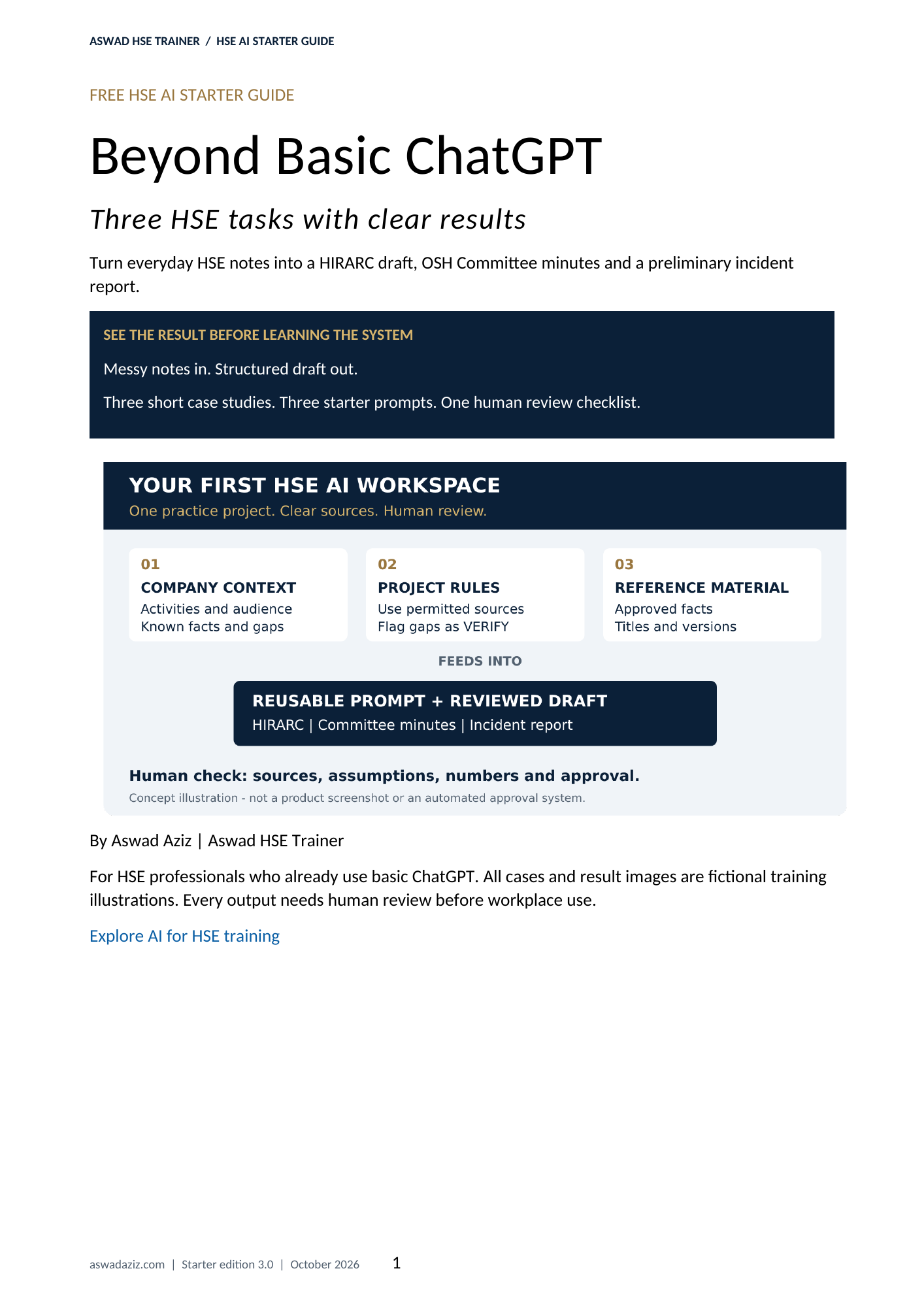
Three HSE tasks with clear results
8 pages. Three simple case studies. Three starter prompts. Clear before-and-after results.
Turn everyday HSE notes into three structured drafts. See a simple input, a clear sample result and one short prompt for each task.
- A simple practice setup using fictional information.
- HIRARC, OSH Committee meeting minutes and preliminary incident reporting examples.
- One short starter prompt for each case study.
- One human review checklist before workplace use.
Complete the form below. Your browser will automatically open the revised PDF after successful registration so you can read or save it. Select Free guide only or join the training waitlist. Other marketing remains optional.
Get your guide & choose your training interest
Joining the waitlist is free and does not confirm a booking, course date or fee. We will contact you about the interest you select. Other marketing is optional.
Read our Privacy Policy. For access, correction, deletion or consent withdrawal, use the website Contact page.